To download and reanalyze a controlled access dataset in MassIVE-CA, first navigate to the official MassIVE-CA repository web site - https://massive-access.ucsd.edu/. You will then need to log in to your registered MassIVE-CA account.
NOTE:
MassIVE-CA accounts are separate from the main MassIVE system. You will need to create a new MassIVE-CA account to begin the submission process.NOTE:
Coming soon: Integrated NIH Researcher Authentication Service (RAS) authentication. This implements strict identity proofing by requiring all MassIVE-CA users to have a valid eRA Commons account.
Access Request
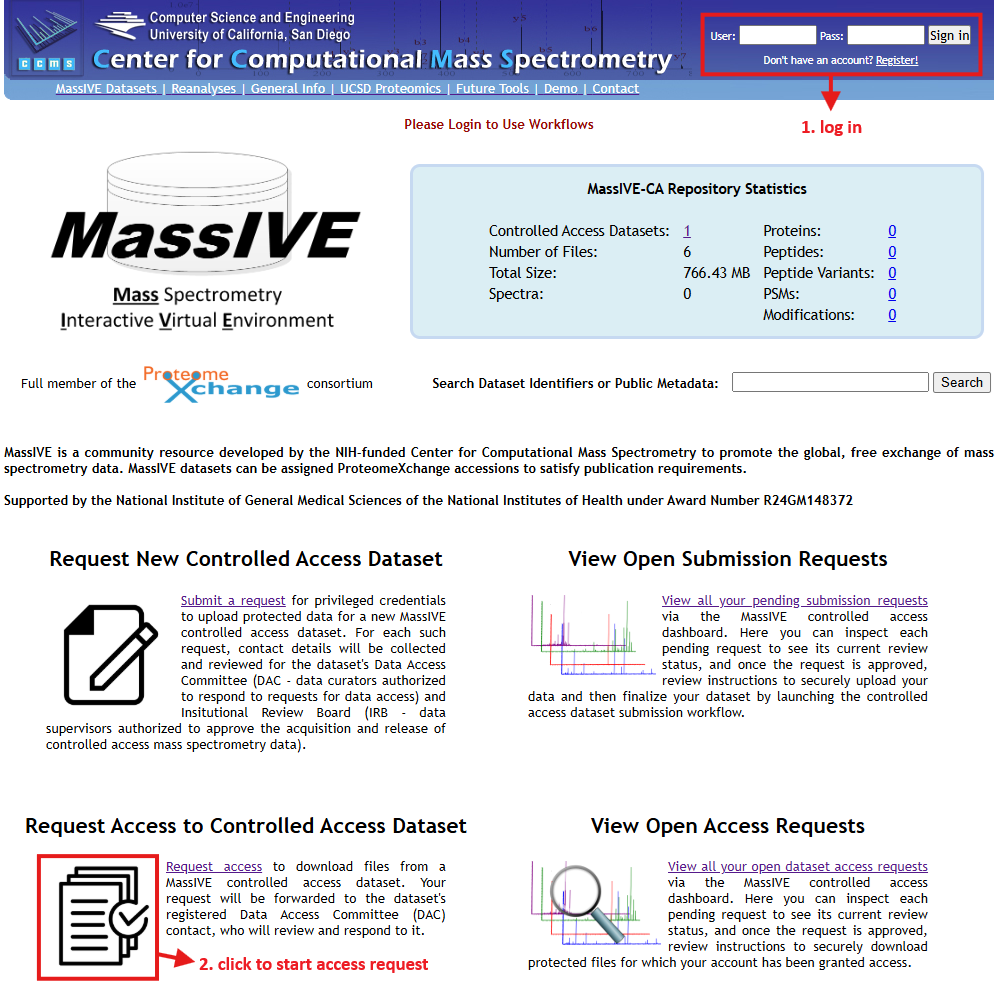
Once logged in, click on "Request access" under "Request Access to Controlled Access Dataset" to load the MassIVE-CA access request input form. There are a number of useful workflows available on this page, but to request access to a dataset, just be sure that the "MassIVE Controlled Access Dataset Access Request" workflow is highlighted in the "Workflow" drop-down menu near the top of the page.

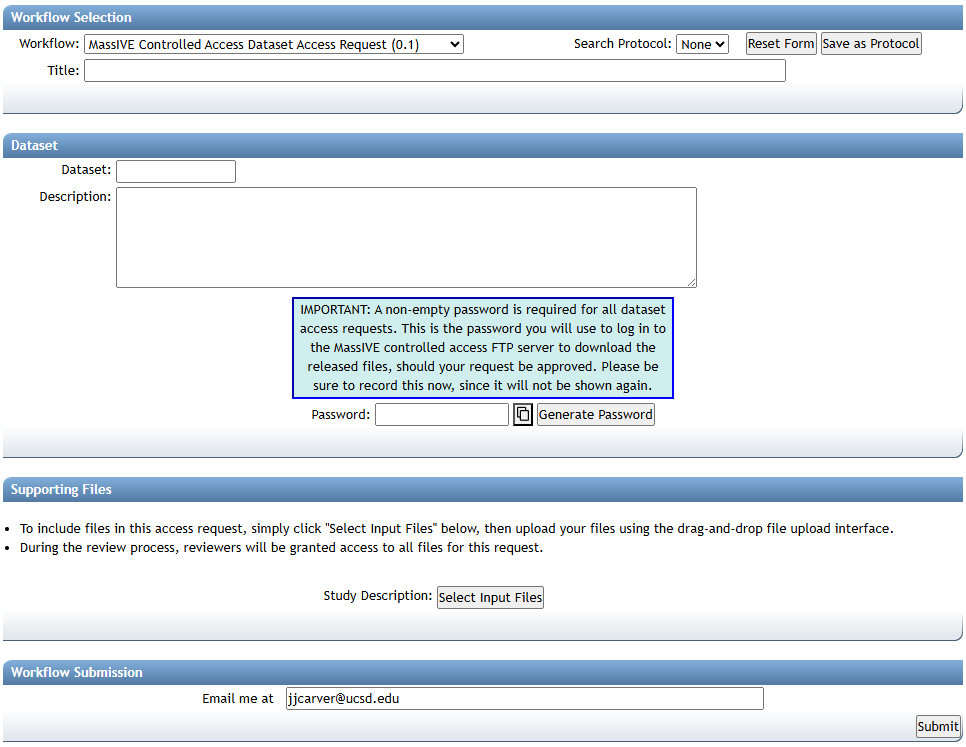
With this workflow selected, you will see an input form including all file and metadata fields relevant to your request.
NOTE:
Don't forget to enter a non-empty password, and be sure to write it down! This is the password you will use to log in to the MassIVE-CA FTP server to download the protected dataset files after your access request is approved. This password is not stored in plain text anywhere in the MassIVE-CA system, so we will not be able to share it with you after you leave this page!NOTE:
Coming soon: A formal Data Usage Agreement (DUA) outlining your responsibilities and expectations as a downloader of controlled access data from MassIVE-CA. This document is currently in the draft process; see the latest revision here, and please submit any questions or comments you may have.
When you are ready to submit your dataset access request, click on the "Submit" button at the bottom of the form, and your request will be sent to the MassIVE-CA web server for validation.

Access Request Review
After you submit your request, a qualified MassIVE-CA reviewer will be automatically notified, and will conduct a thorough review in a timely manner. You can check the current status of your request by logging in and clicking "View all your pending access requests" on the MassIVE-CA splash page.
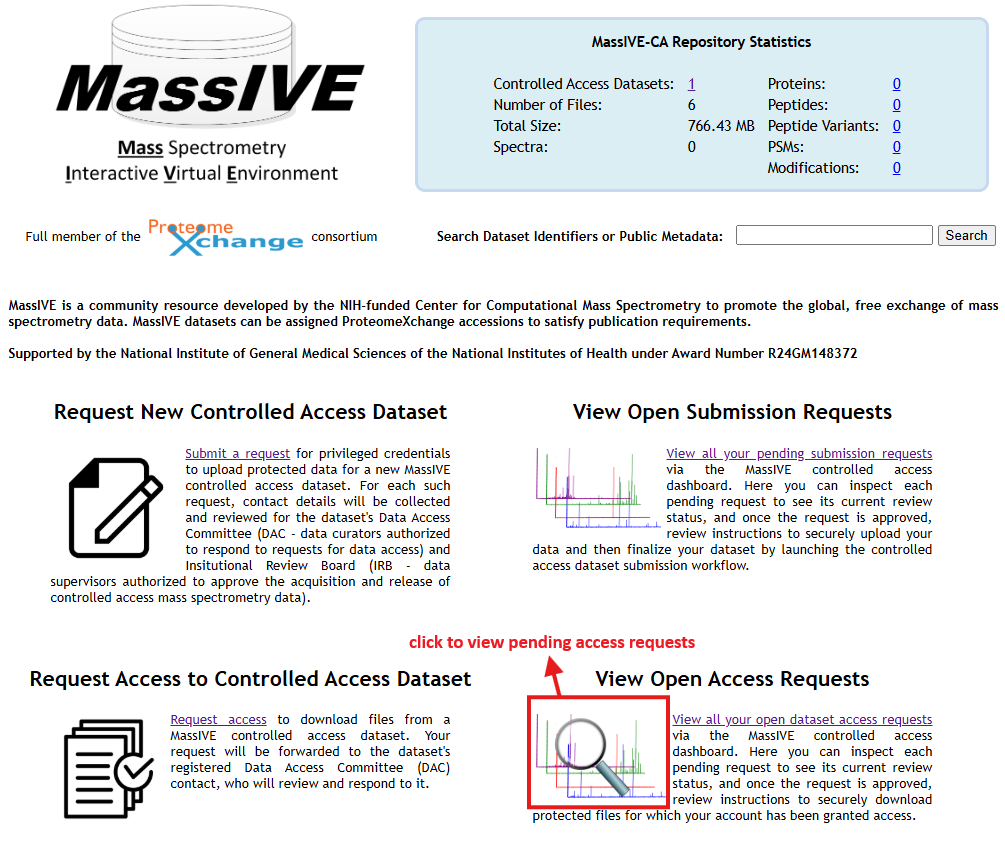
This takes you to your MassIVE-CA dataset request dashboard, automatically filtered to show only pending dataset access requests.

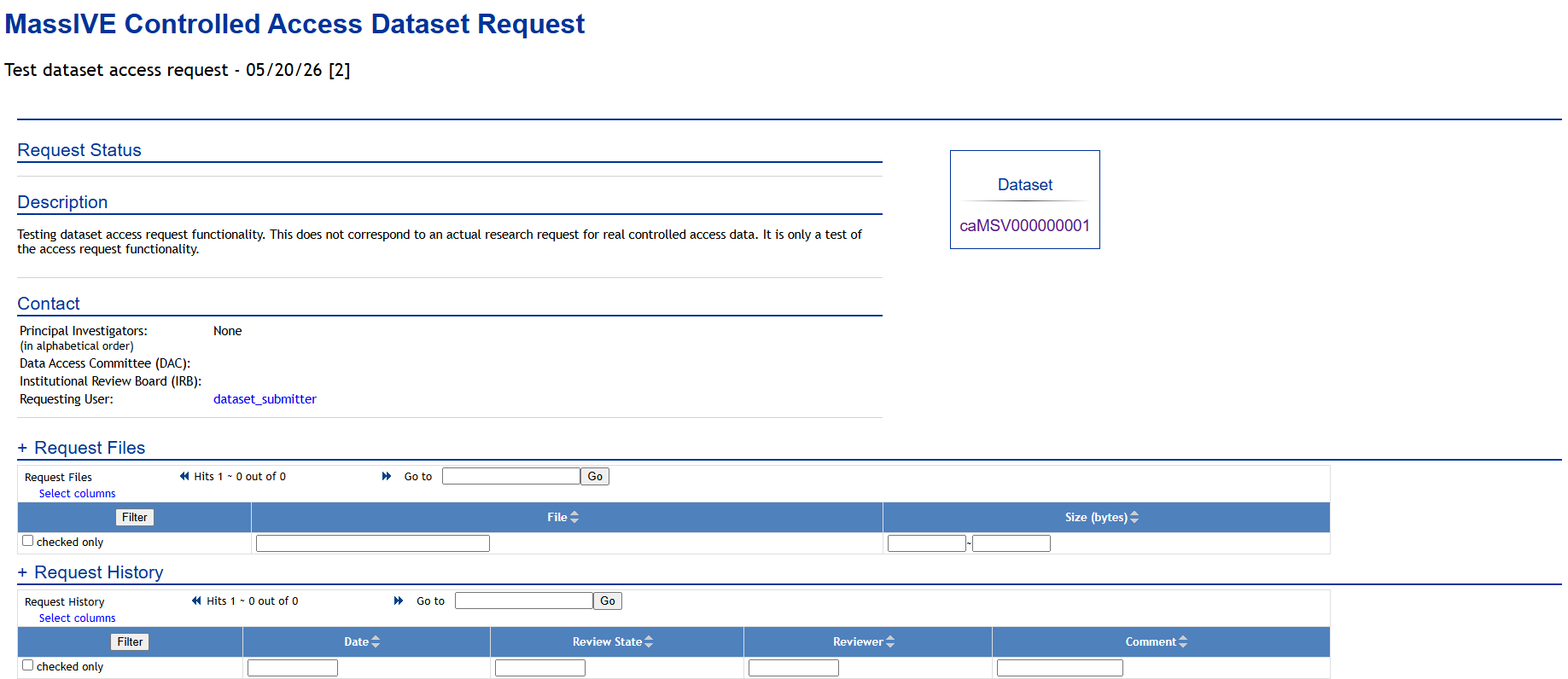
Click "Review" to view the current status of your pending request.
Approved Access
Once your request has been thoroughly reviewed, you will be automatically notified of the final outcome. If your request was approved, then the request page updates to reflect the new status, and FTP download instructions are displayed.
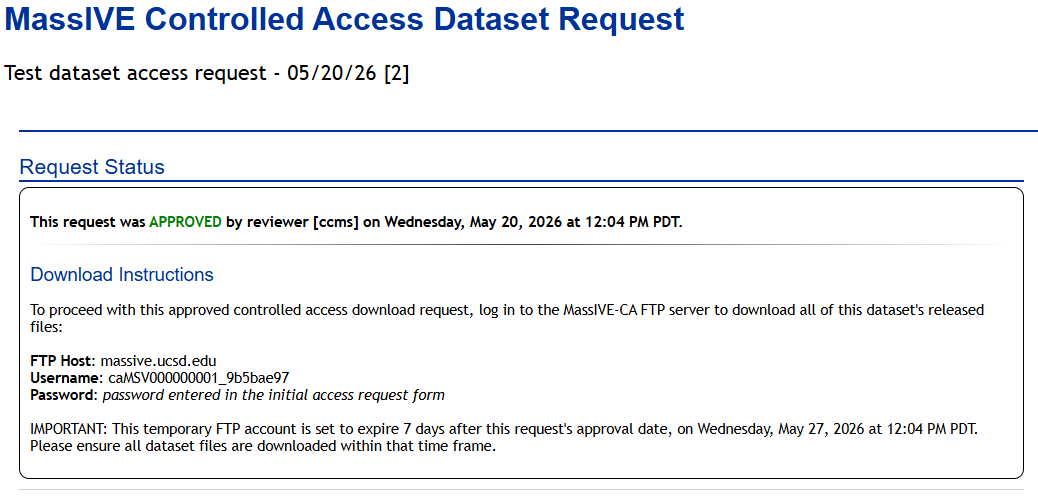
At this point, a special FTP account is automatically created for you to log in to the MassIVE-CA FTP server (massive-ca-ftp.ucsd.edu) to download the files associated with your dataset of interest. See our FTP upload documentation for more information on the process of setting up an FTP client and connecting to the FTP server (although be sure to use the proper FTP host name for this controlled access download).
NOTE:
Coming soon: When access is approved, this dataset will be made available as an encrypted zip archive, along with a PGP decryption key that the downloader must use to decrypt the data. For now the files are kept encrypted at rest on our system, but our access workflow automatically decrypts them for you before serving them to your special request-specific FTP directory. We appreciate your patience as we harden and formalize our internal encryption workflow.NOTE:
This repository and web portal are still a work in progress. If you encounter any difficulties, or simply have questions or comments you'd like to share, please feel free to contact us at massive@ucsd.edu.